Table of Contents
- How to Apply Different Attendance Policies to Different Employees?
- Missing Attendance Policy
- Late Arrival Policy
- 1st Half Day and 2nd Half Day Policy
- Short Hour Deduction
- Early Out Policy
- Hours in a Day Policy
- Missing Swipe Policy
How to Apply Different Attendance Policies to Different Employees?
Ojoor allows you to make different Employee Groups. It has the option of applying different policies to different employee groups.
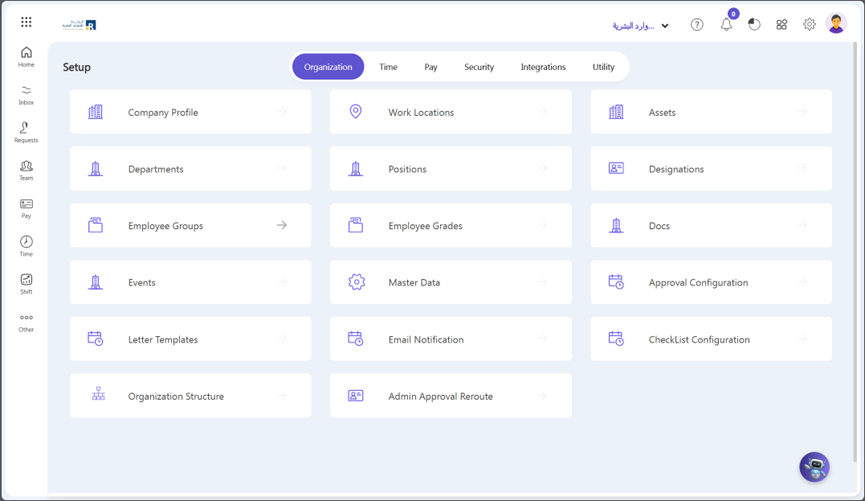
- Go to Setup > Organization > Employee Groups.
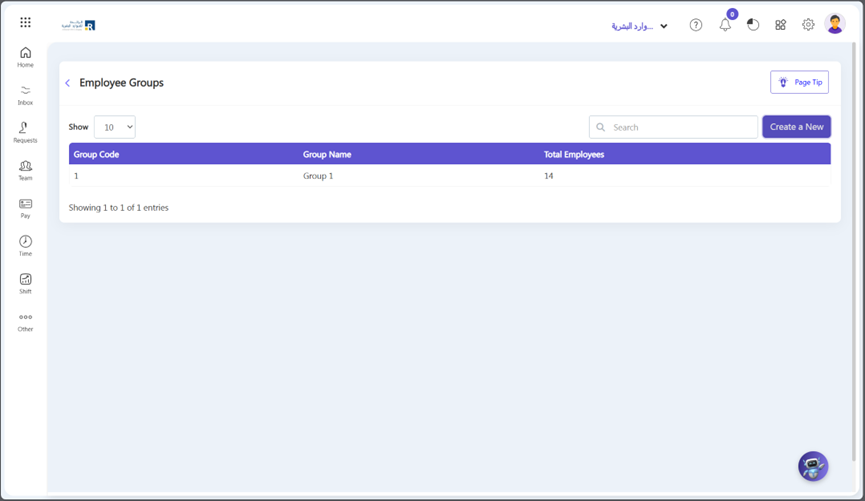
- Select “Create a new” in the top right corner.
Group Code:
- The group code is a unique identifier assigned to a group of individuals who share the same access privileges to a particular system or service.
Group Name:
- The group name is a descriptive title given to a group of individuals who share the same access privileges to a particular system or service.
Description:
- The description is a brief summary of the purpose and function of the group, which helps to identify the group’s role and responsibilities.
Time Policy:
- The time policy outlines the rules and regulations regarding attendance and punctuality for group members. It includes guidelines for late arrivals, early departures, and absences etc.
Group Members:
- The group members are the individuals who belong to the group and have access to the system or service. They are responsible for adhering to the group’s policies and procedures.
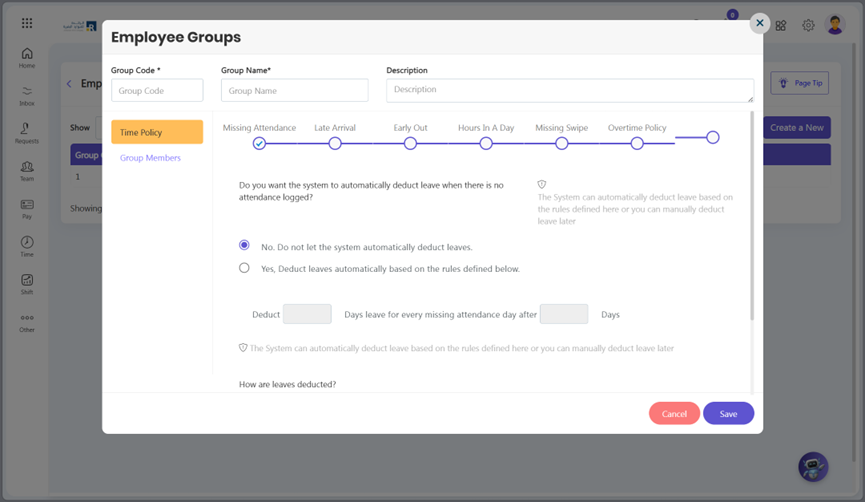
- Select the Policy from the options you want to use and define the policies you want to apply easily according to your company requirements.
Missing Attendance Policy
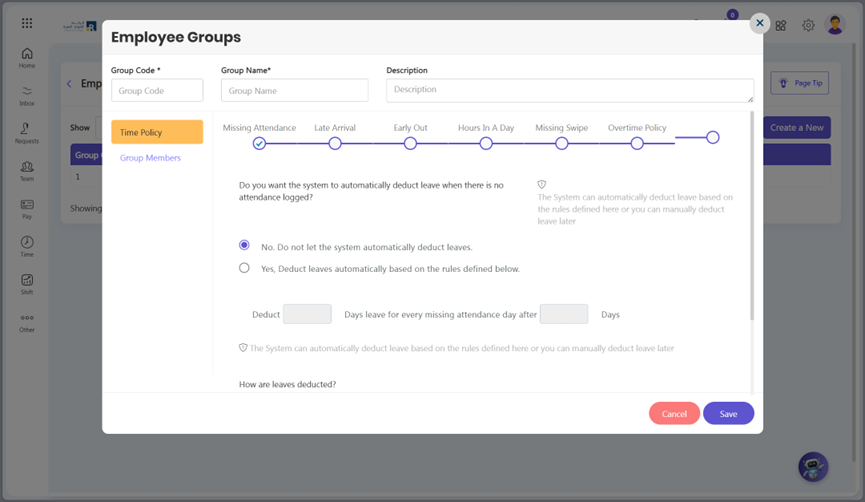
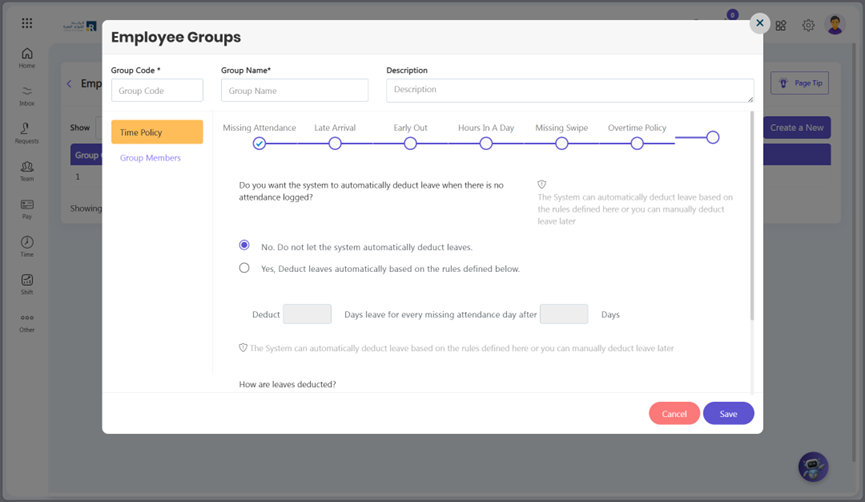
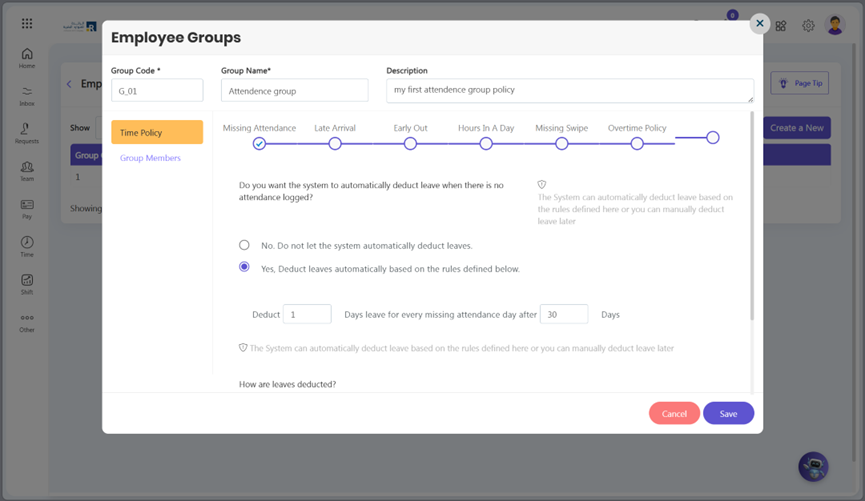
You can apply this time policy to employees In case the employee forgets to mark his/her attendance and then deducts his salary or not. After a certain number of days, deduct how many days’ salary is for each missed attendance day.
Policy Deduction:
- After a certain number of days, deduct how many days’ salary is for each missed attendance day.
Late Arrival Policy
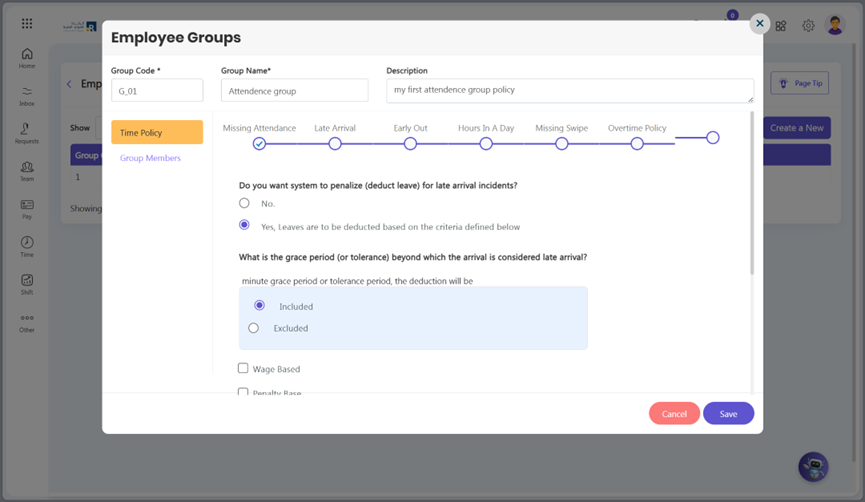
Creating a late arrival policy can help ensure that employees arrive on time or not. You can use the policy to determine whether or not to deduct leave for an employee who arrives late. What is the grace period and how will the deduction be done if an employee is declared late? Here are some steps to create a late arrival policy:
- Grace Period: You can choose a tolerance/grace time after which arrival is considered late. You can set the deduction criteria whether a deduction is included or excluded.
- Deduction Policy:
- Wage Based: Deduct for salary based on minutes or based on hours.
- Penalty Based: Add Lateness Penalty for specific time and rest of the day.
- Hour Based: Allow a maximum number of days of late coming incidents in a Month.
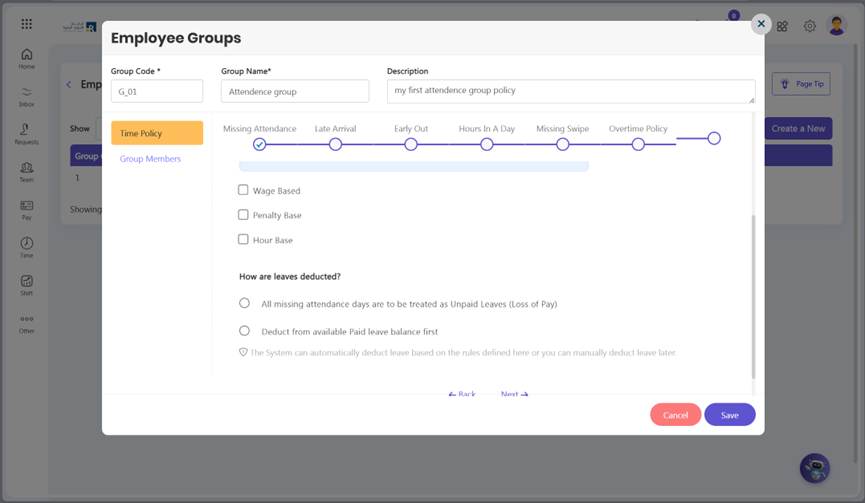
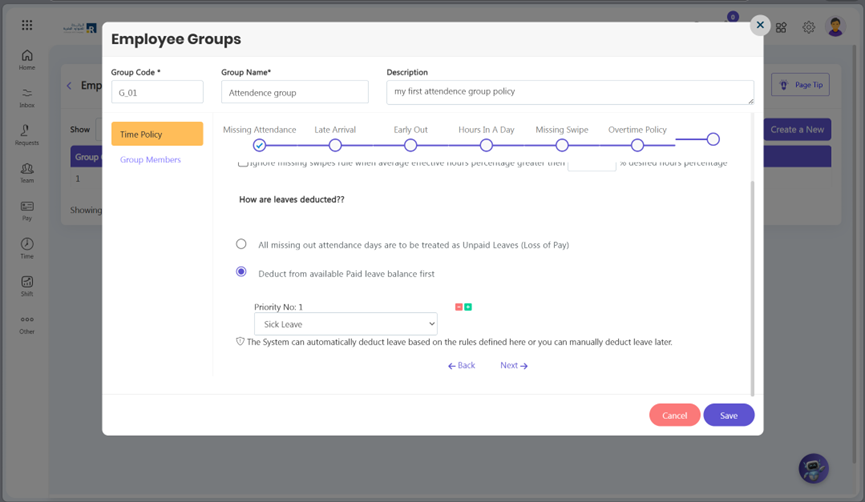
- Leave deduction: You can also select leave for deduction.
1st Half Day and 2nd Half Day Policy
The 1st half day and 2nd half day for Employees policy in Ojoor HRMS provides a structured approach to manage and enforce punctuality within the workplace. This feature automatically marks an employee’s attendance as a half-day or full-day if their attendance falls within the defined half-day and full-day time slabs set by the organization. To set this policy:
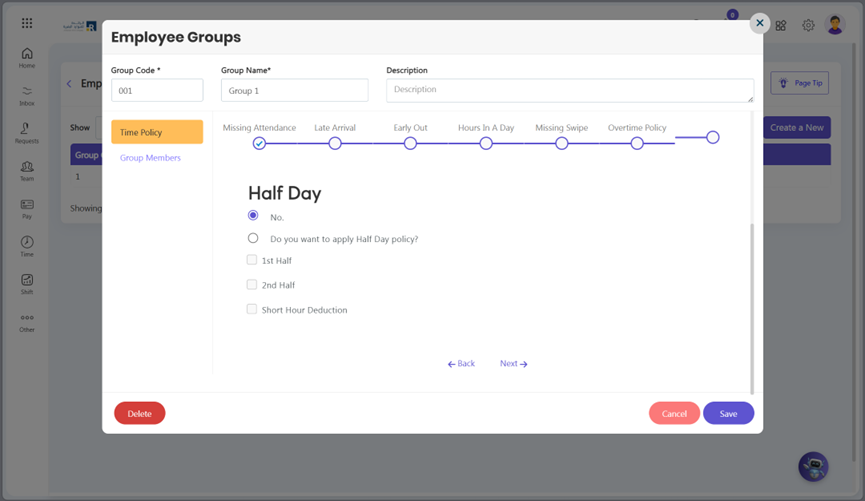
- Click Hours in a Day
- Select Yes under “Do you want to apply Half Day Policy?”
- Check 1st Half or 2nd Half according to your requirement.
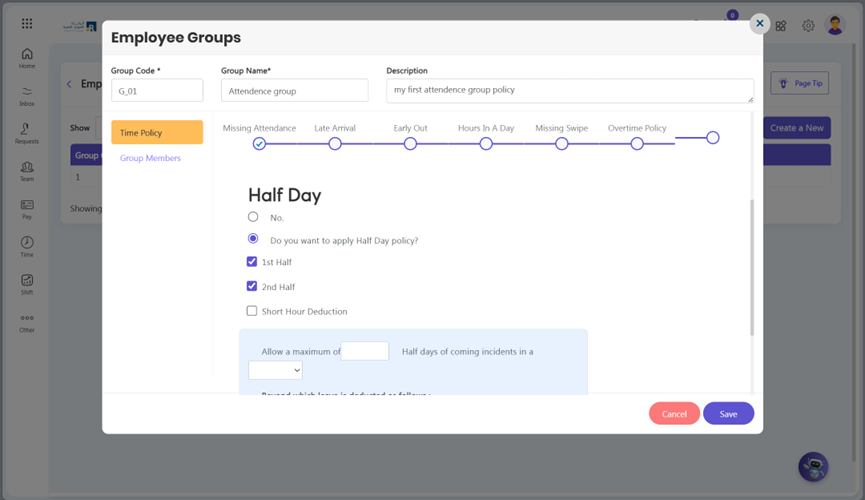
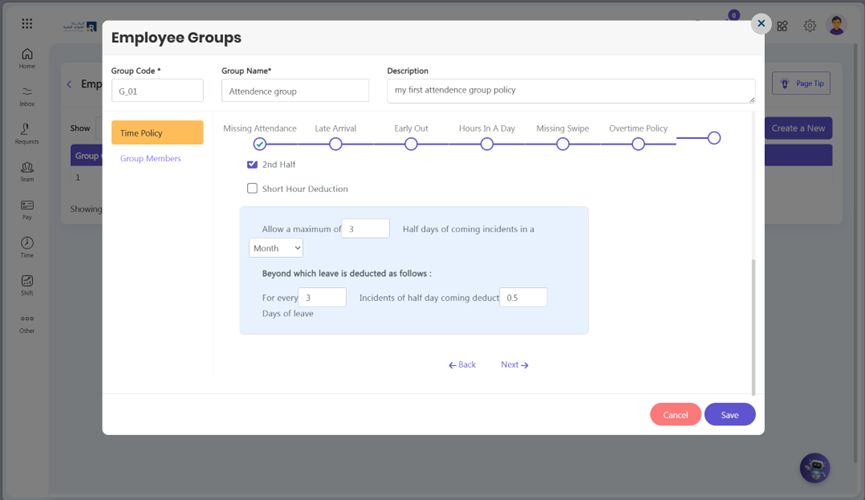
- Define the Incident Limit:
- Allow a maximum of 3 half-day incidents per month.
- Set Leave Deduction Rules:
- Configure the system to deduct 0.5 days of absent for every 3 incidents exceeding the limit.
- Save the configuration to activate the policy.
Note:
For 1st half and 2nd half deduction, 1st hald and 2nd half must be enable in Shifts setup.
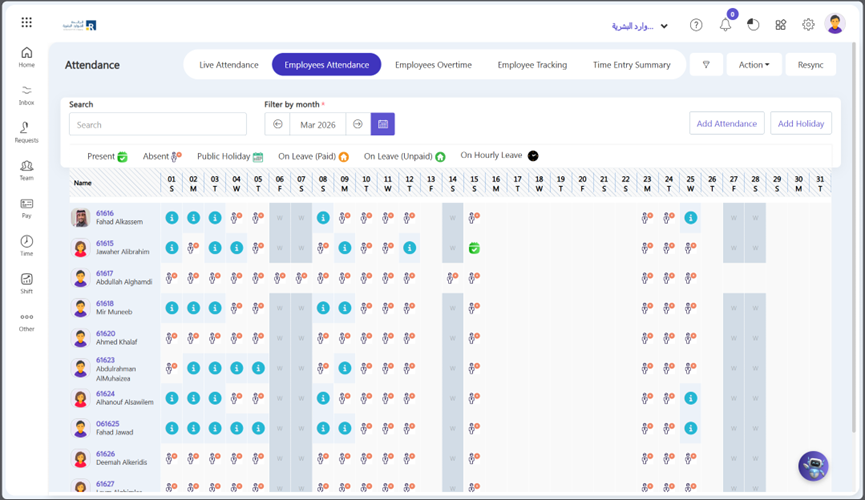
- On the attendance screen, you can view the attendance records, and by hovering the cursor over a specific day, you can see whether the employee was absent during the first half or the second half of the day.
Short Hour Deduction
Short hour deduction is used to deduct absent if an employee’s working hours are less than the limit defined in your policy.
Early Out Policy
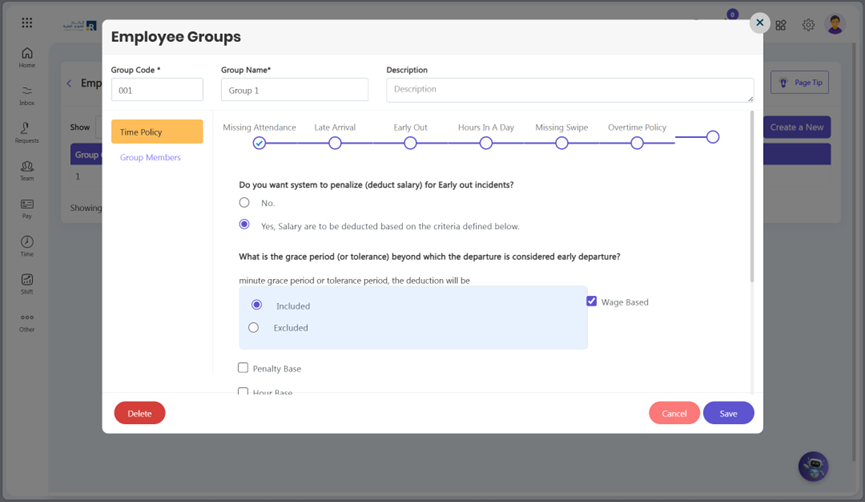
You can apply policies for early out in Ojoor. Whether or not to deduct the employee’s salary if they leave the office before their off time. Yes, it’s up to you whether you want to deduct in hours or minutes.
- Grace Period: You can choose a tolerance/grace time after which early out is not considered. You can set the deduction criteria whether a deduction is included or excluded.
- Policy Deduction:
- Wage Based: Deduct from salary based on minutes or based on hours.
- Penalty Based: Add Early Out Penalty for specific time and rest of the day.
- Hour Based: Allow a maximum of days of early out incidents in a Month.
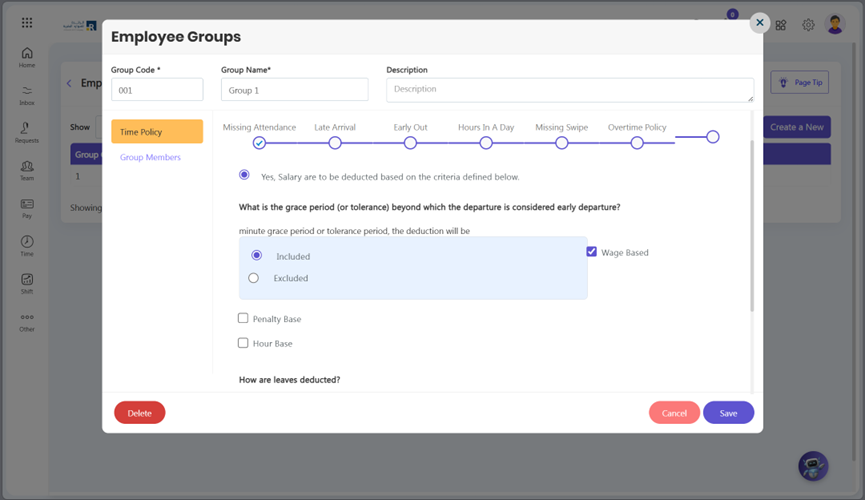
- Leave deduction: You can also select leave for deduction. Click plus icon.
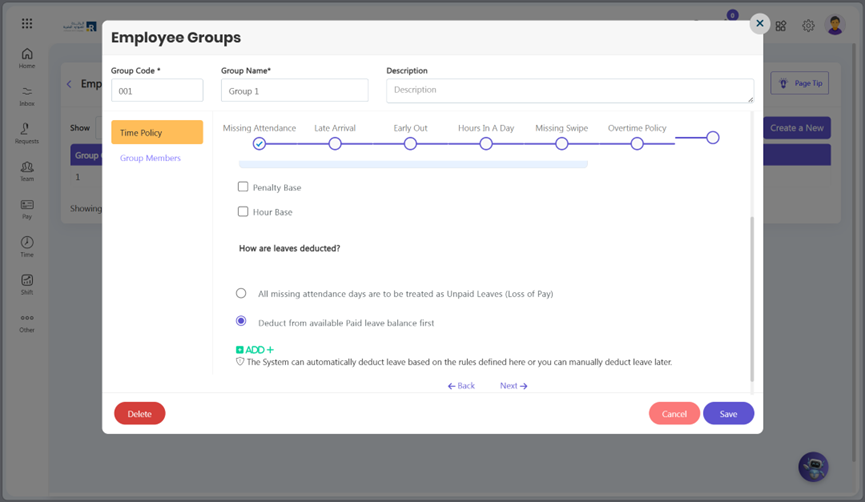
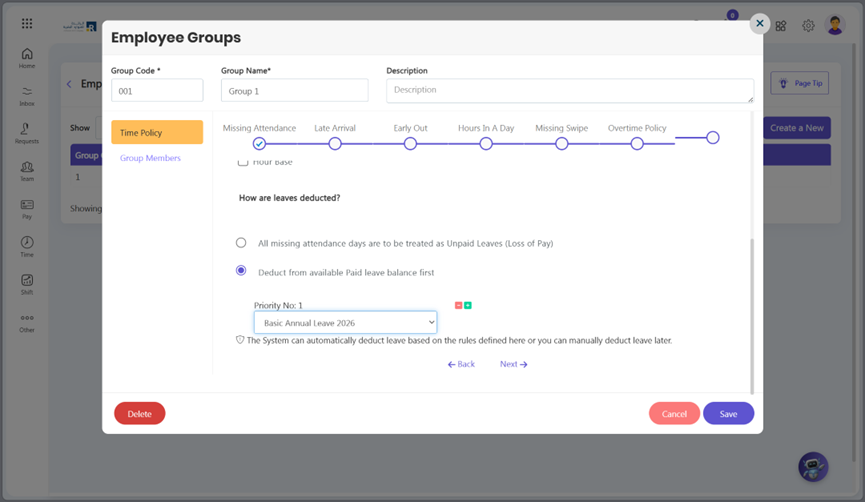
- After click plus icon drop down menu will be visible select leave according to your requirement.
Hours in a Day Policy
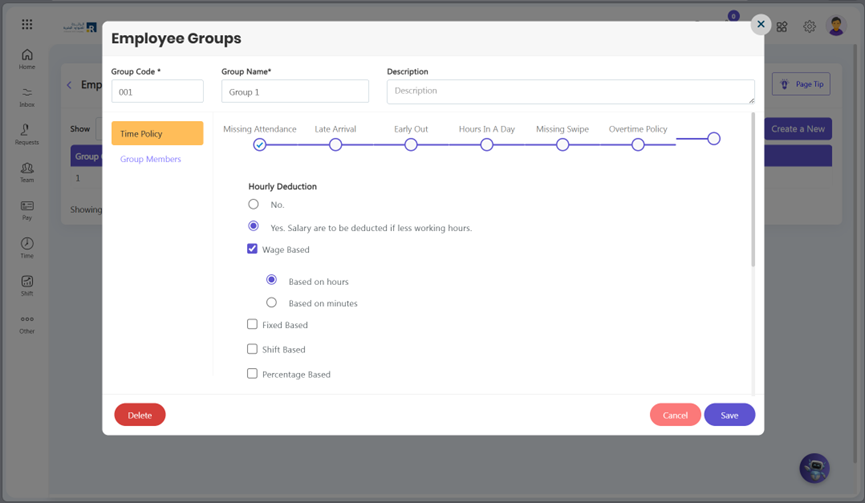
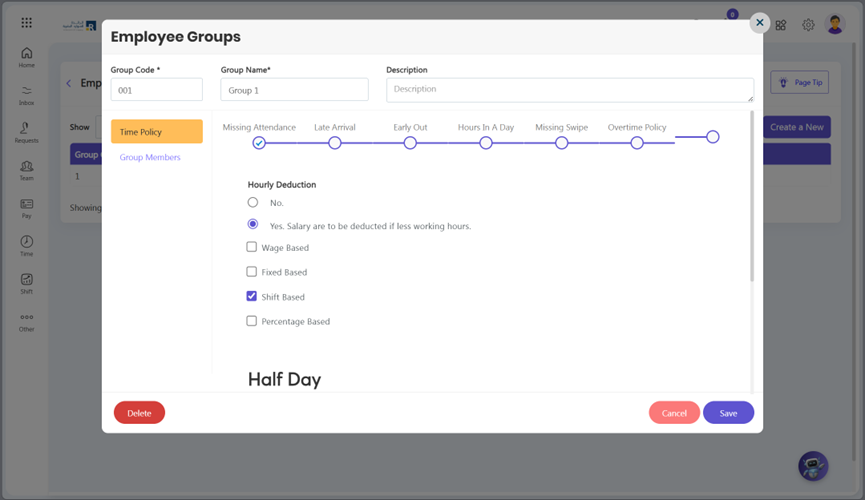
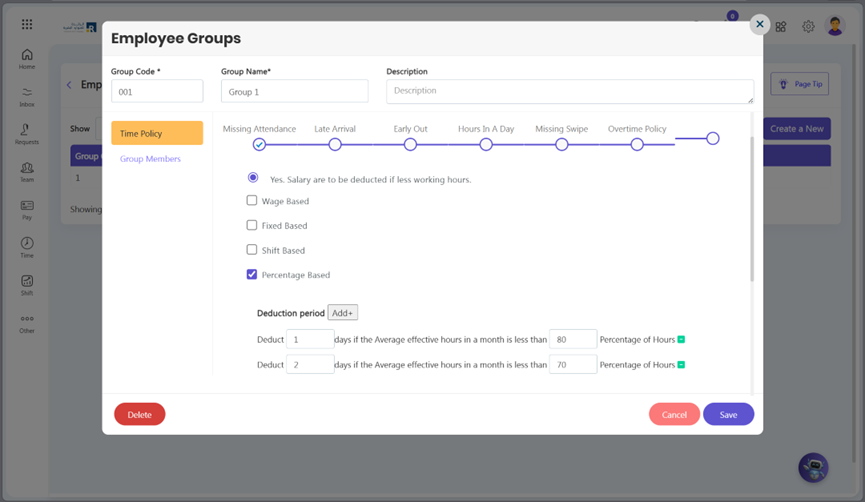
You can apply a policy on employee Hours in a Day. If an employee has fewer working hours in a day whether to deduct leave or not. If yes, specify whether the wage is calculated in hours or minutes or based on a percentage.
- Policy Deduction:
- Wage Based: Salary deductions will be made either on a minute or hourly basis, depending on the number of hours missed per day.
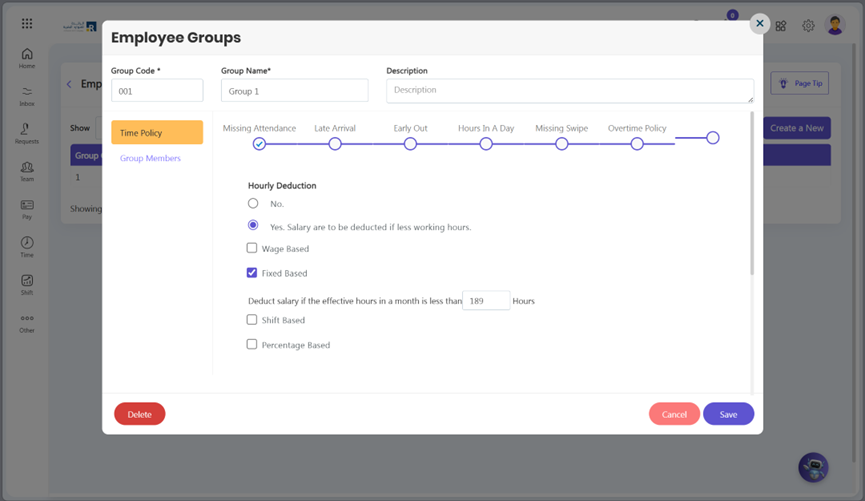
- Fixed Based: Deduct from salary based on minutes or based on hours according to Monthly hours.
- Shift Based: Salary deductions will be made either on a minute, depending on the number of hours missed per month.
- Percentage Based: Consider absent on your defined slabs.
Missing Swipe Policy
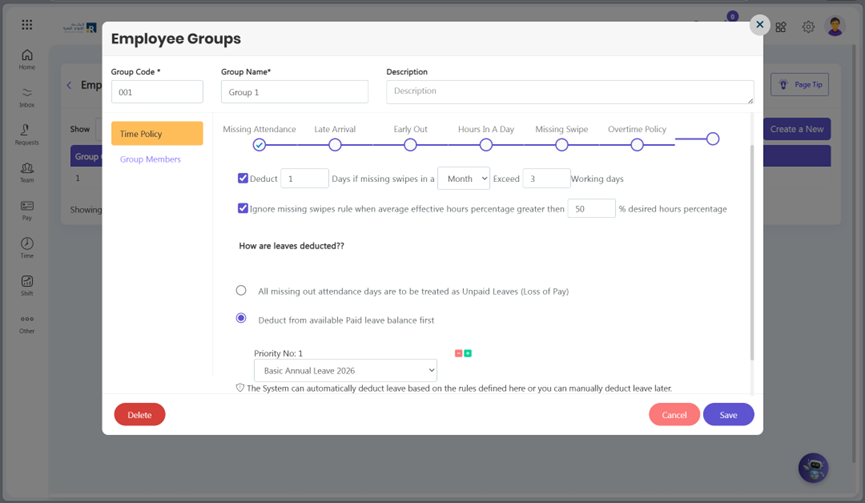
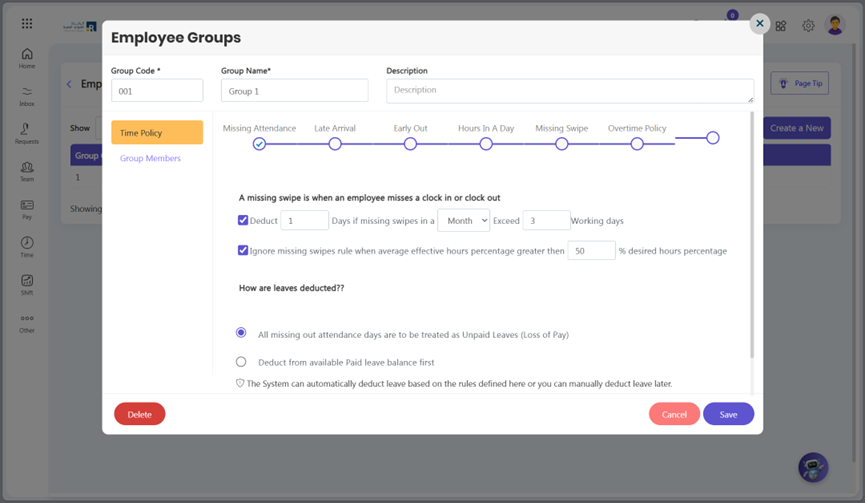
You can apply a policy on missing swipes if an employee misses a clock-in or clock-out whether to deduct a leave/salary or not.
Deduction Policy:
- If there are more missing swipes than the allowed working days, Deduct Days will be implemented. Otherwise, the missing swipes policy will not be enforced if the average effective hours percentage surpasses the desired hours percentage.
- Leave deduction: You can also select leave for deduction. Click plus icon.
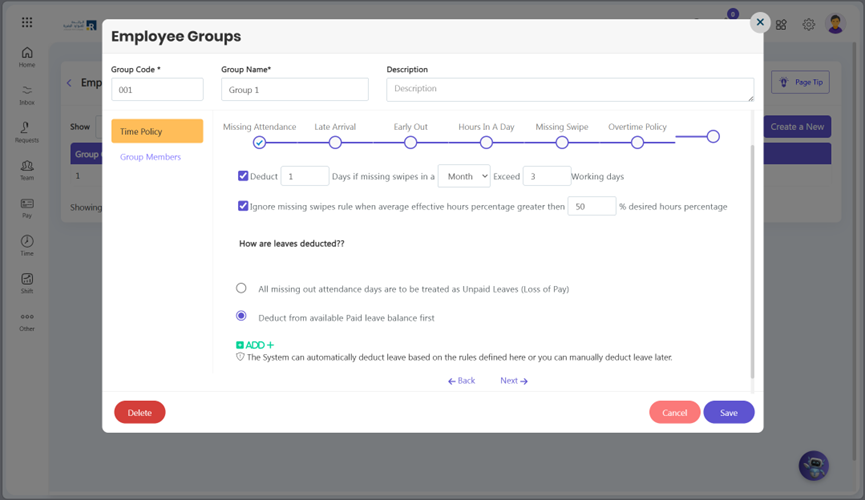
- After clicking the plus icon, a drop-down menu will be visible; select leave according to your requirement.
- Click Save button.