Table of Contents
- How to Mark an Attendance through Ojoor?
- How to View an Attendance?
- How to Filter Attendance?
- Attendance Detail
- How to Check Overtime?
How to Mark an Attendance through Ojoor?
- Employee can mark his/her attendance from Ojoor Web App and Mobile App. To Mark Attendance from Web App:
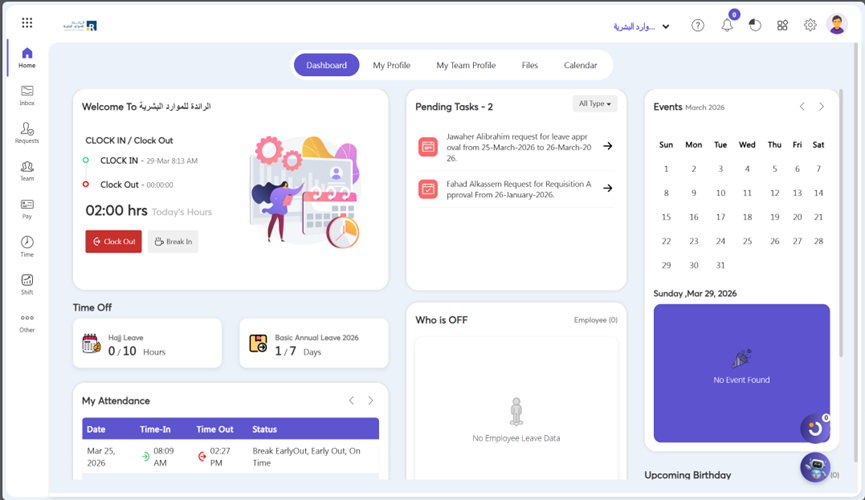
- Go to Dashboard and click on Clock In.
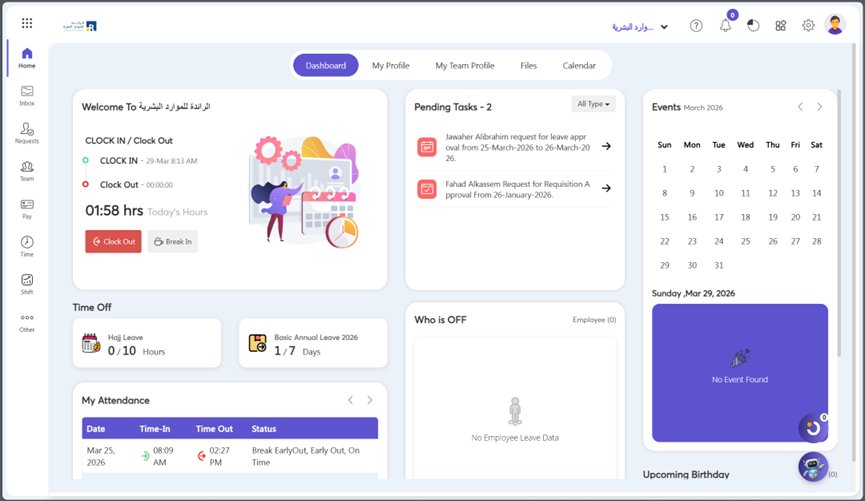
- When shift end you can check out using Clock Out Button.
How to View an Attendance?
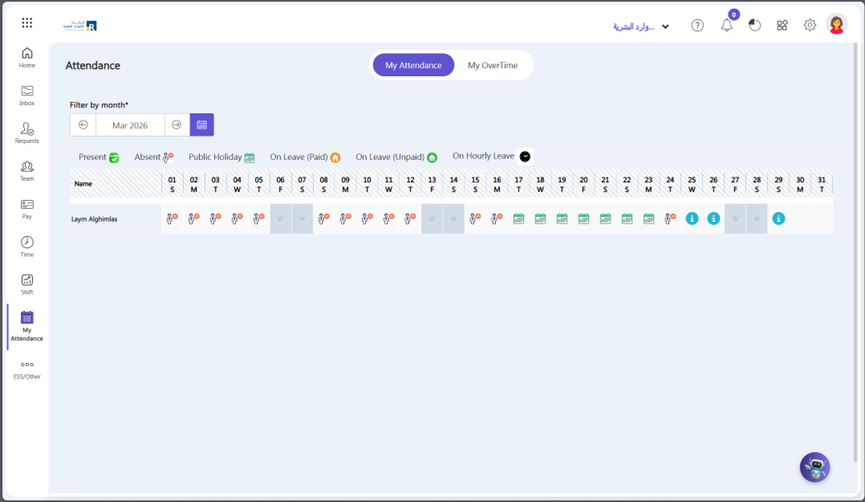
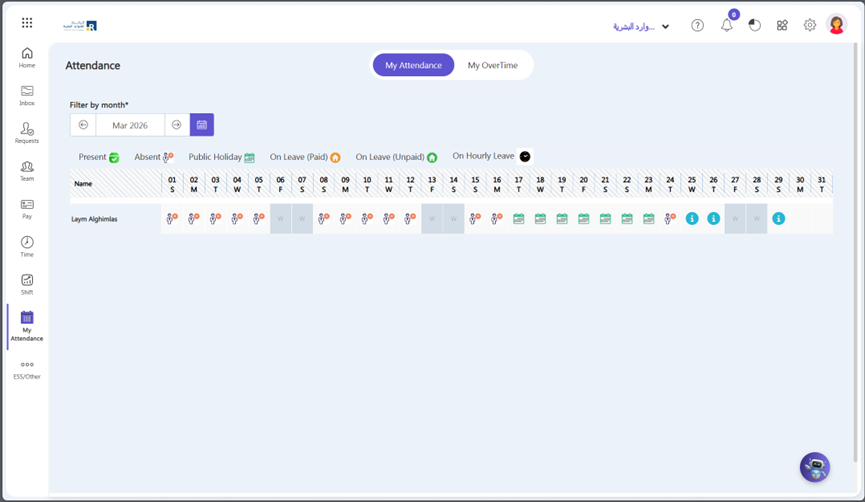
- Go to My Attendance.
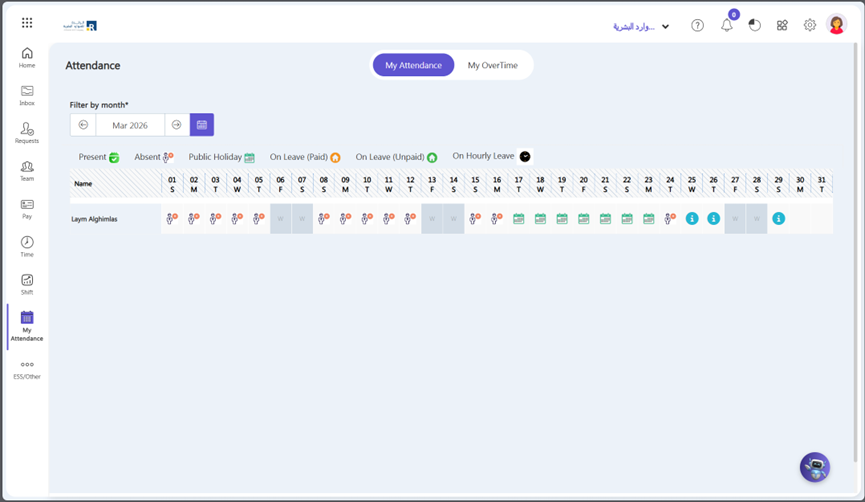
- Here you can see your attendance according to the current day–different types of signs marked against the day according to a kind of attendance.
How to Filter Attendance?
- You can view monthly attendance by click arrows.
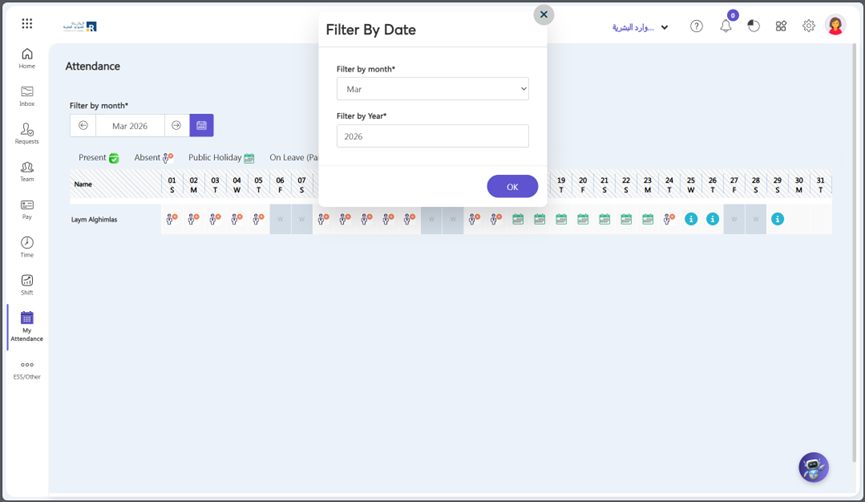
- You can filter attendance by click calendar icon.
- After click calendar icon apply filters and click OK.
Attendance Detail
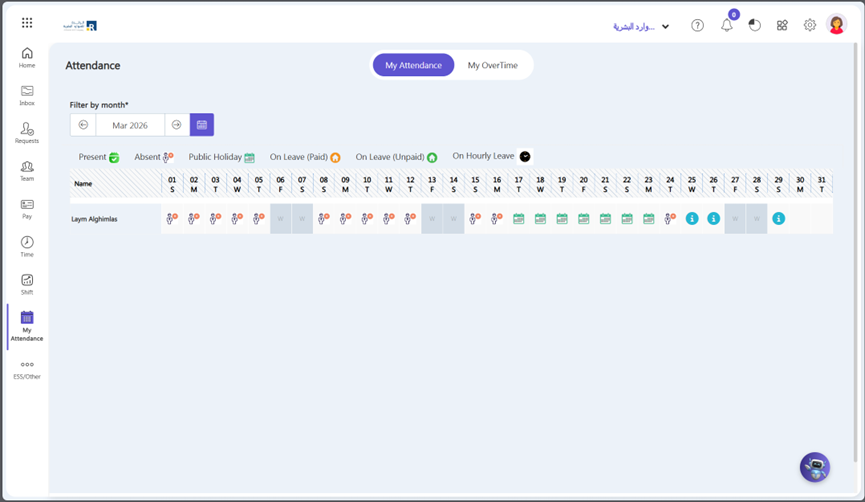
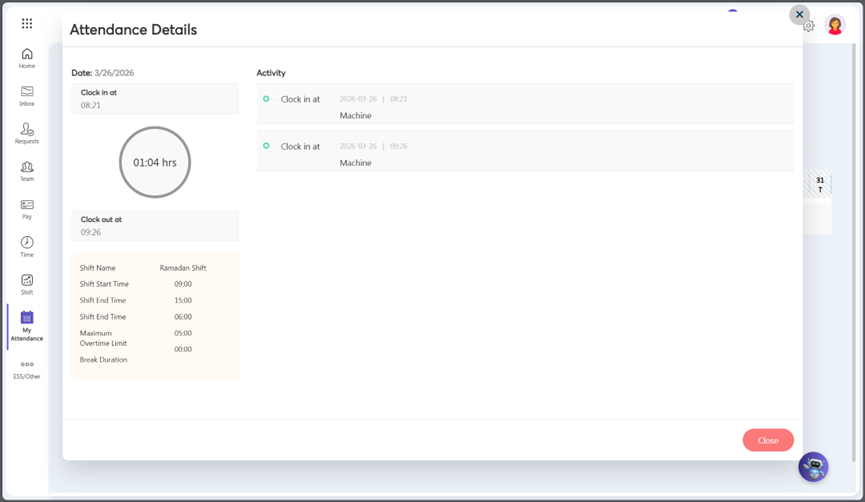
- You can see your clock-in and click-out activity by select the symbol representing the Attendance Status.
- Click on the some Symbol.
- After click any attendance symbol, you can see attendance details.
How to Check Overtime?
To view your overtime:
- Go to My Attendance => My Overtime