Table of Contents
- View Team Attendance
- Filter Team Attendance
- Search Employee Attendance
- Attendance Detail
View Team Attendance
In Ojoor, viewing your team’s attendance is a breeze. Here’s how you can do it:
- Go to Time -> Employees’ Attendance.
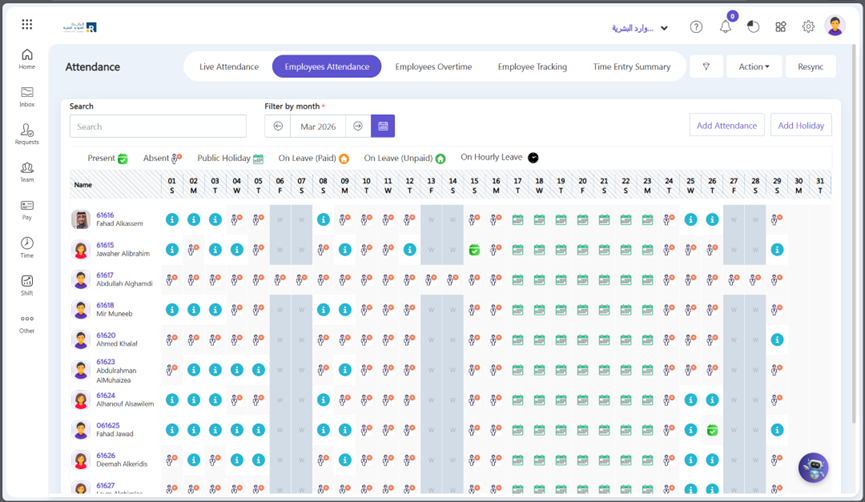
- Here you can see Team attendance according to the current day. Different types of signs marked against the day according to a kind of attendance.
Filter Team Attendance
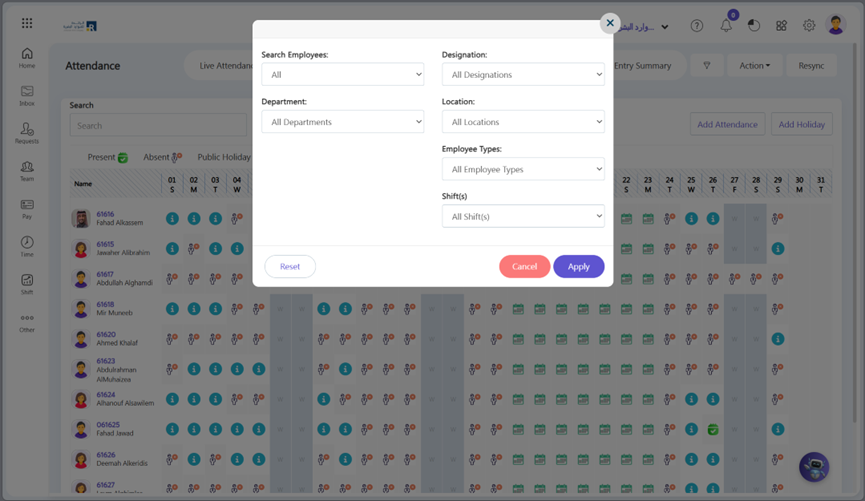
- You can Filter the attendance according to Location, department, and Designation. Click on Filter Attendance button.
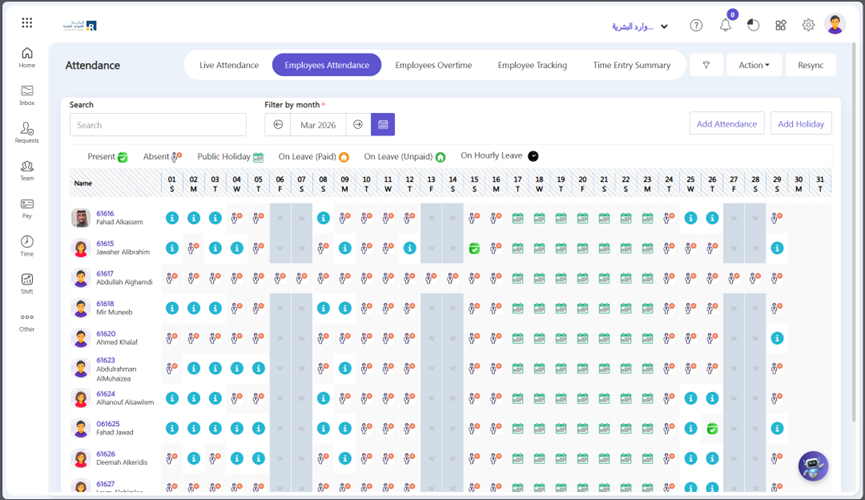
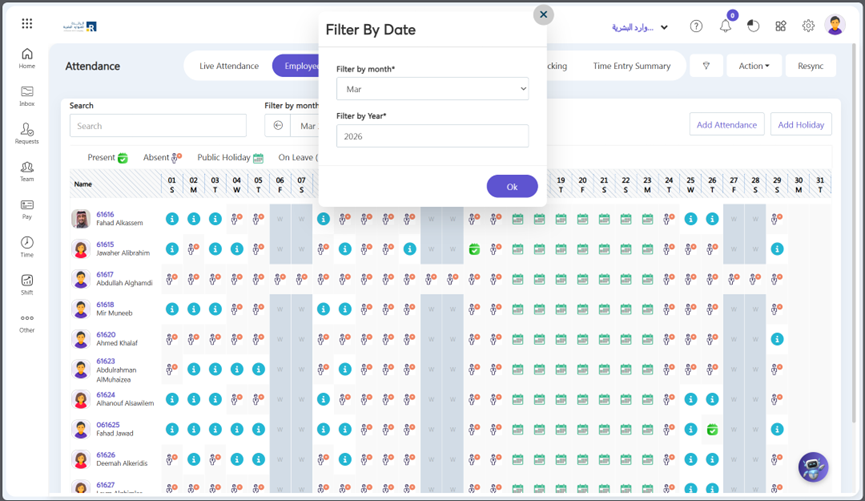
- You can also Filter the attendance according to month or year. For this click calendar icon.
Search Employee Attendance
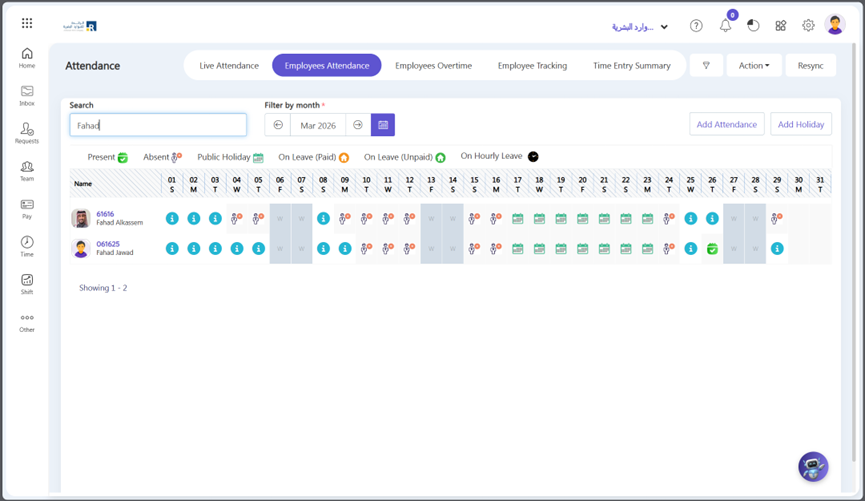
- Additionally, if you want to track a specific employee’s attendance, you can search for their attendance.
Attendance Detail
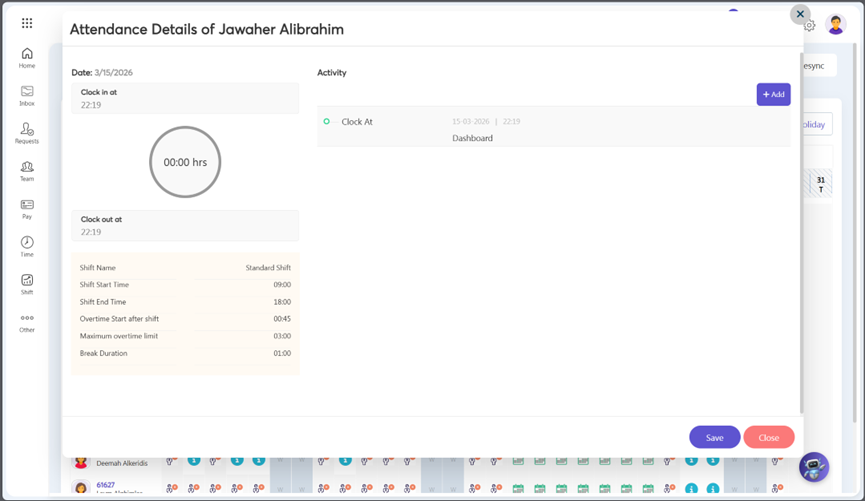
- Click the symbol representing the employee’s Attendance Status.
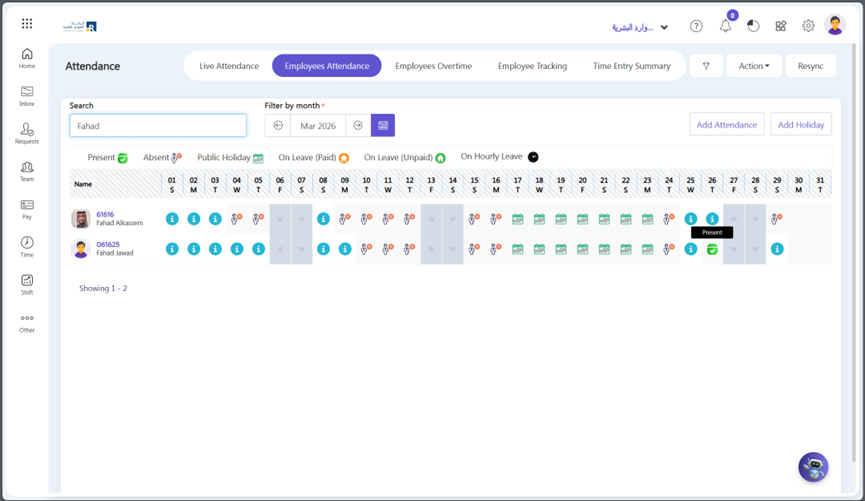
- You can track employee attendance, hours worked, and other related information.