Table of Contents
- Make Increments or Promotion of Employees
- Employee Termination
- Employee Separation
- Final Settlement
- Attendance
- Time Off
- Expense
- Loan and Payment
Ojoor helps to manage the data of employees very conveniently. It provides a precise and expanding application of data to help businesses make better decisions.
Different options are available for employee data like Employee Action, Separation and Settlement etc.
Make Increments or Promotion of Employees
An employee action form is used to take any action that involves updating an employee’s information from previous information.
- Go to Requests > Employee Action > All Request/My Request > New Request
Note:
- All Request: If you want to add your team request.
- My Request: If you want to add your request.
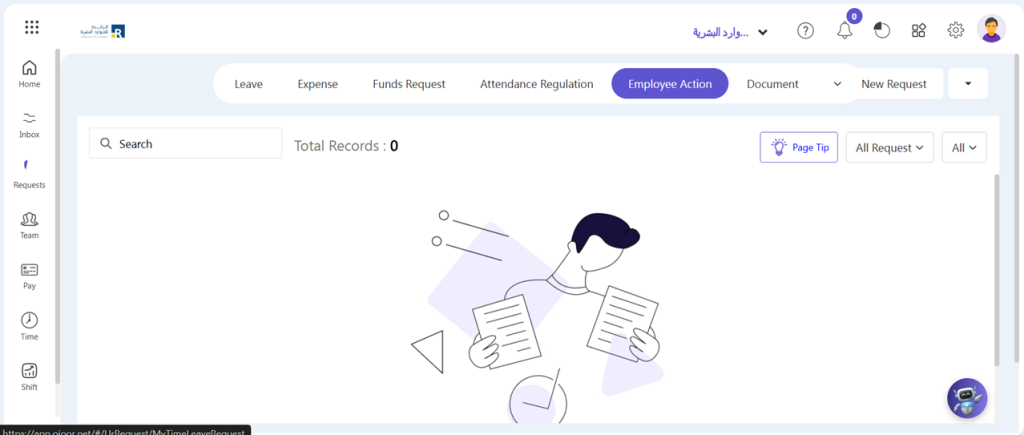
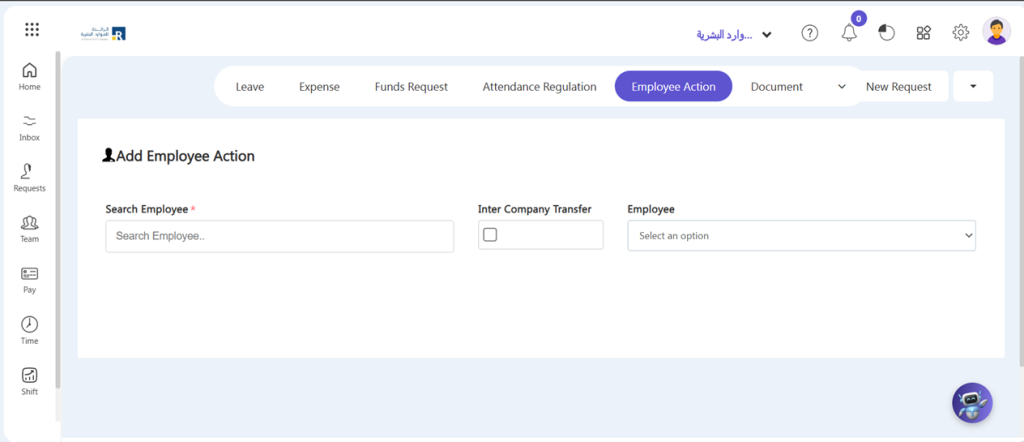
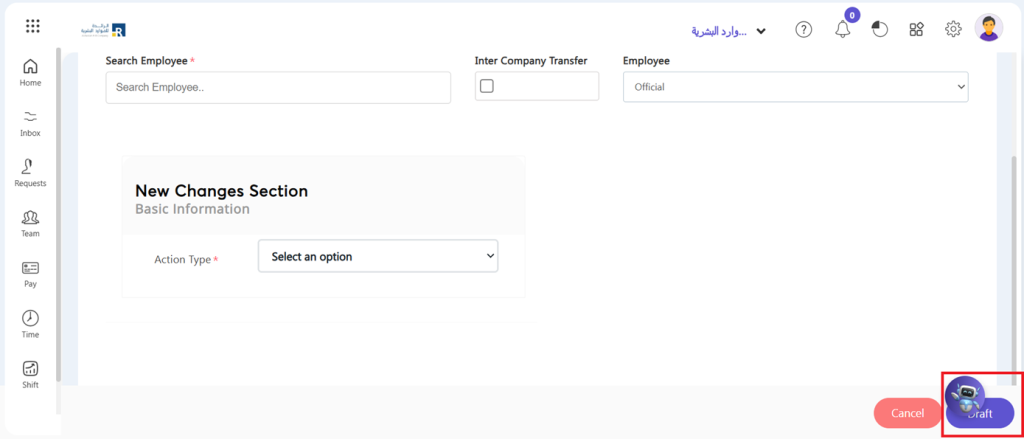
- A pop-up window will appear on the screen. Select Employee Name and Employee Information which you want to edit.
- Two section will be visible to you i.e Current Details and New Changes Section. In Current Detail you can examine an employee current details. In New Change Section you can change fields according to your needs or requirements.
- In the Current Details Section, you may examine an employee’s current details.
- On the other hand, you can view a segment of an employee’s New changes Section
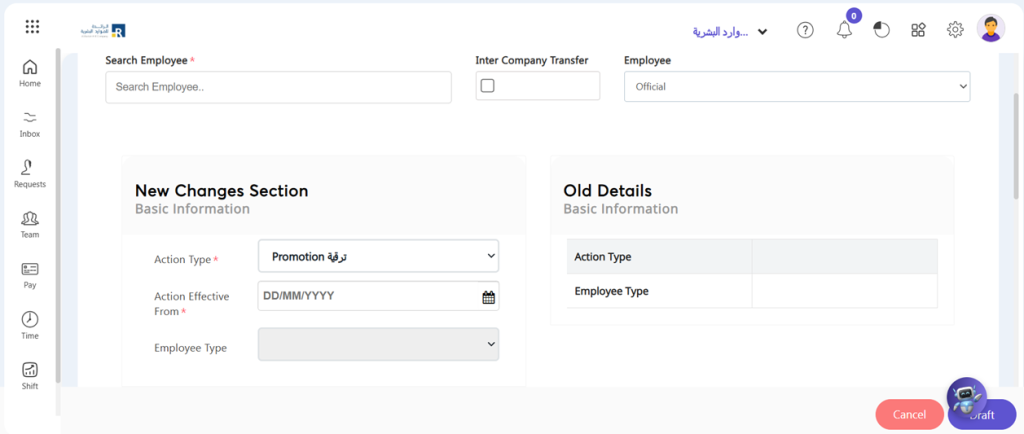
- Click on Draft Button. This request is in draft state where you can make changes according to your need again.
- Go to My Request > Employee Action > Click your draft request
- If you want to edit something again, click Update button otherwise click Finalize button.
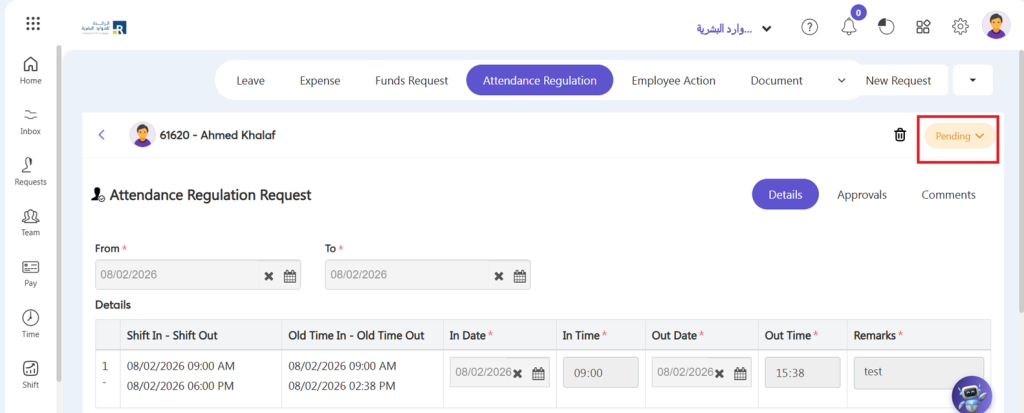
- After finalize the request will be visible on approver’s dashboard in pending task. Click on it.
- He can reject and accept by click on Pending button.
Employee Termination
Employee Separation
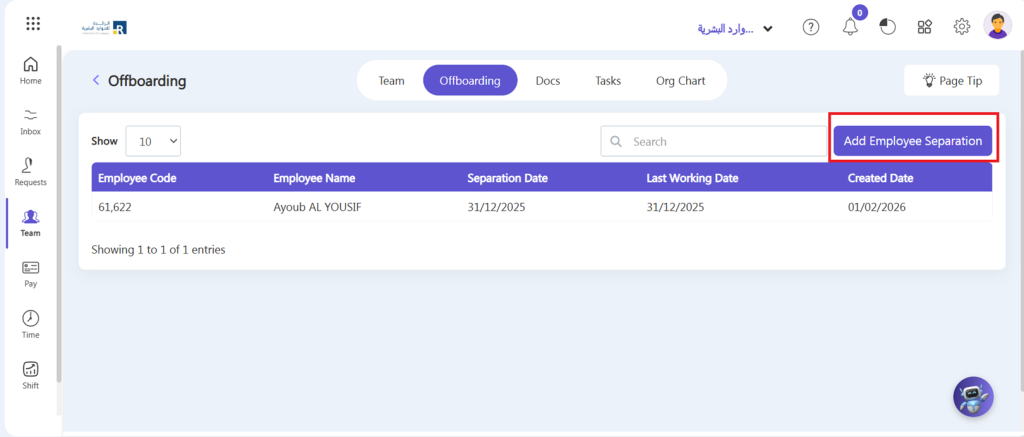
Ojoor also provides a module on Employee separation. If the employee is going to resign or you have to terminate the employee from the company you can add an employee separation.
- Go to Team > Offboarding > Add Employee Separation
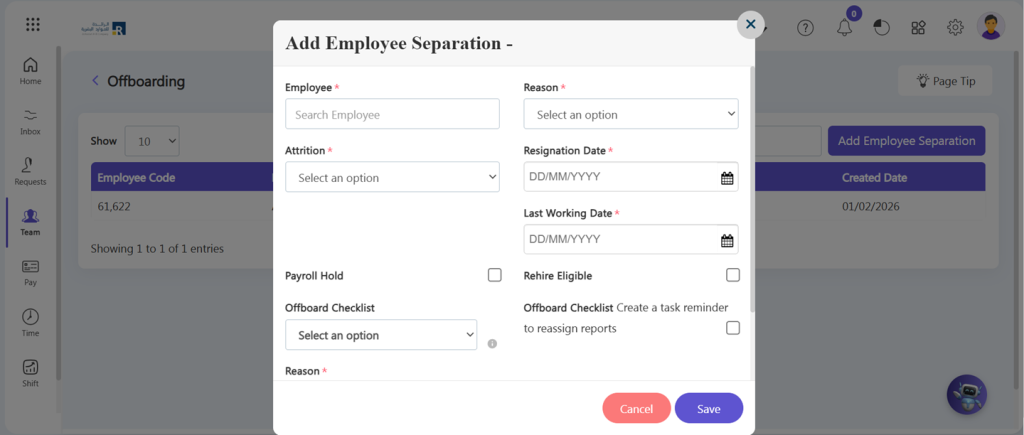
- Search for an employee.
- Add separation type, reason, and attrition of separation.
- Add the date of resignation and the last working day.
- Include the reason for the employee’s separation.
- Check the checkbox of Payroll Hold if you want to hold the payroll of the employee.
- Check the checkbox of Rehire Eligible if you want to rehire this employee in future again.
- Set Offboarding checklist.
- Click Save button.
Note:
- After checking” Rehire Eligible”, when you create the same new employee in the future, the system will automatically redirect you to the existing employee’s profile.
- After creating “Separation” employee will be deactivated from the team and user login account will be deactivated also.
Final Settlement
Creating an employee final settlement in Ojoor is a quick and easy process that ensures all dues and benefits are settled with the employee. Here’s how to do it:
- Go to Pay > Final Settlement > Add Final Settlement
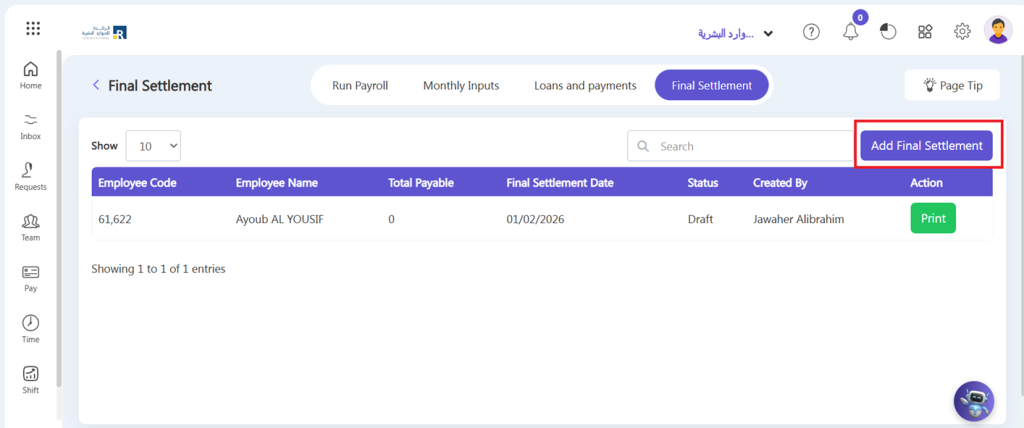
- Select employee from drop down. Only those employees will be visible in drop down list whose Separation has been created.
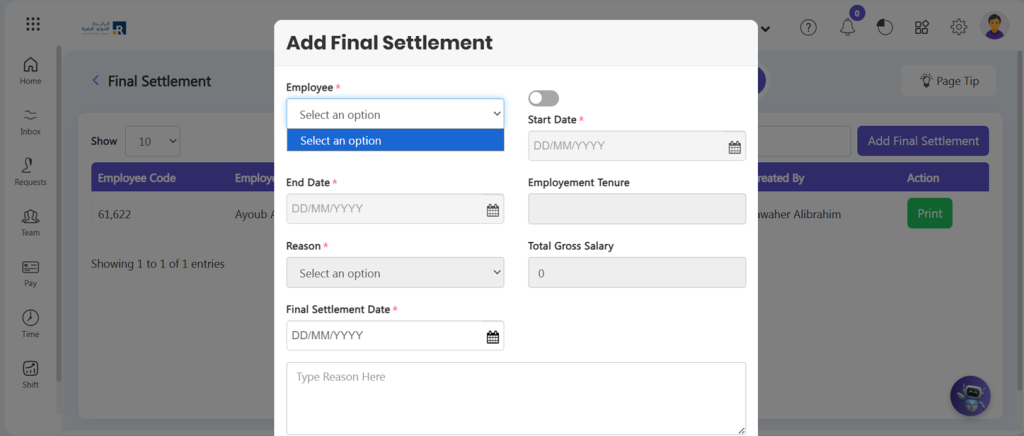
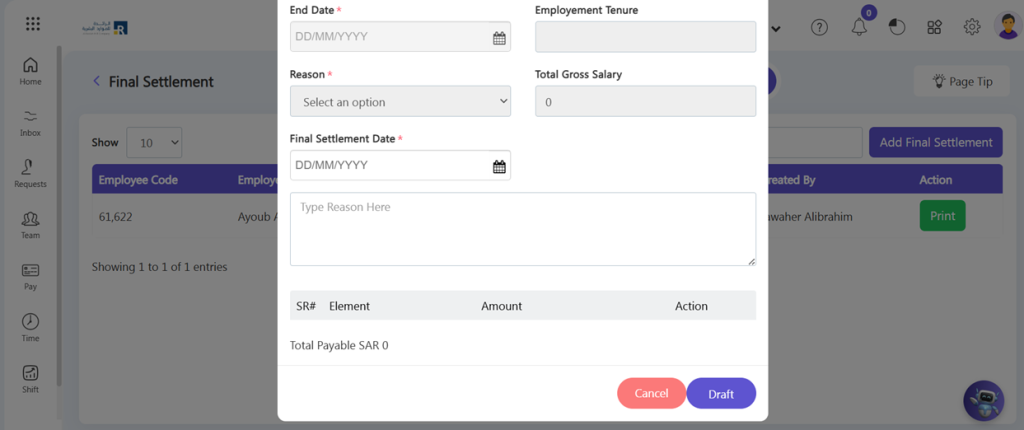
- Select final settlement date. After this you can fetch his basic salary by click Fetch button, you can also add allowances by click Add Adjustment button and you can change his gratuity by click Change Grauity button..
- Once you’re satisfied with the final settlement details, click on the “Draft” button to create the final settlement.
- Click your draft settlement. After you’ve finished drafting the settlement, if you make any necessary adjustments and click Update.
- If you want to delete the Final Settlement Click on Delete once it is drafted.
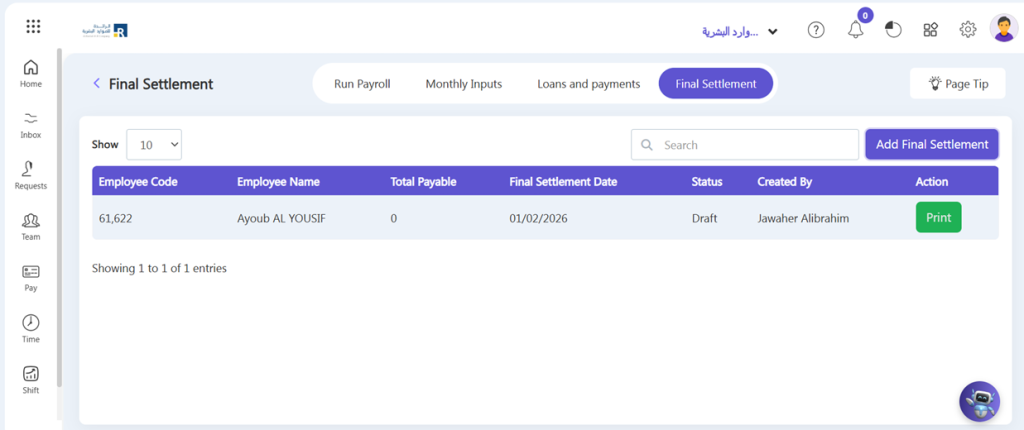
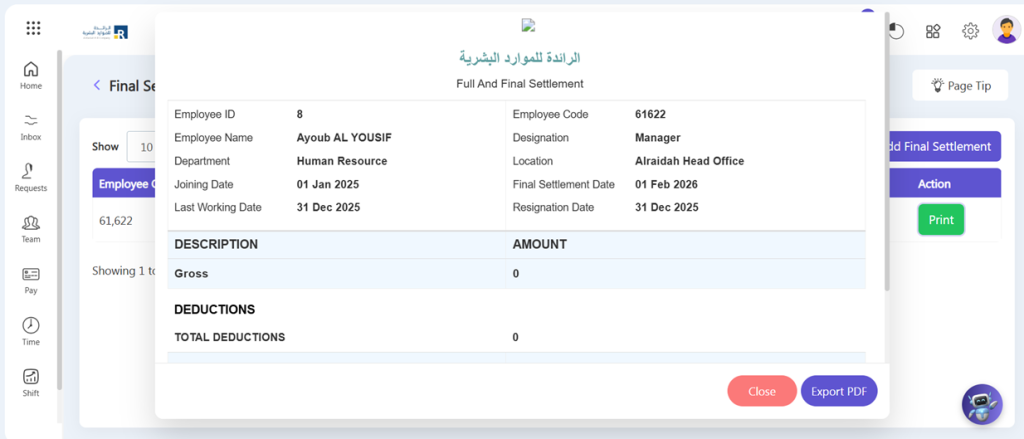
- You can print the full and final Settlement using the Print option on created settlement.
- After click, you can also export the payslip in PDF.
Attendance
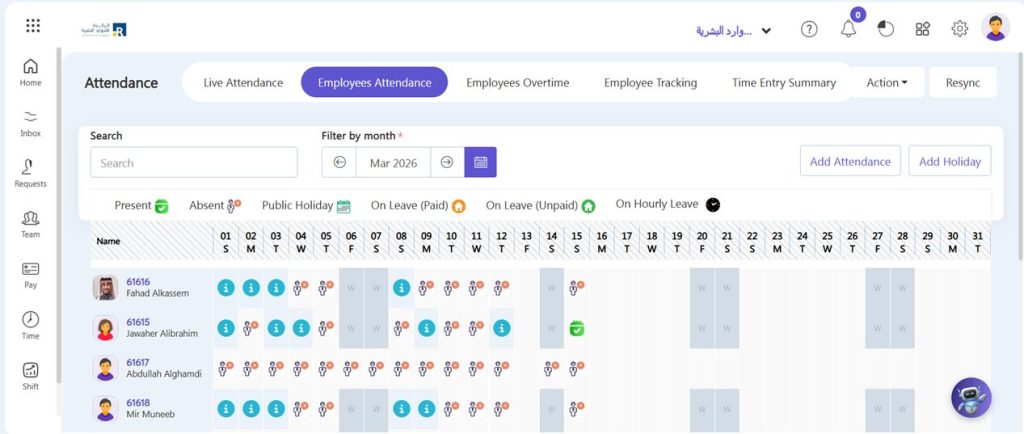
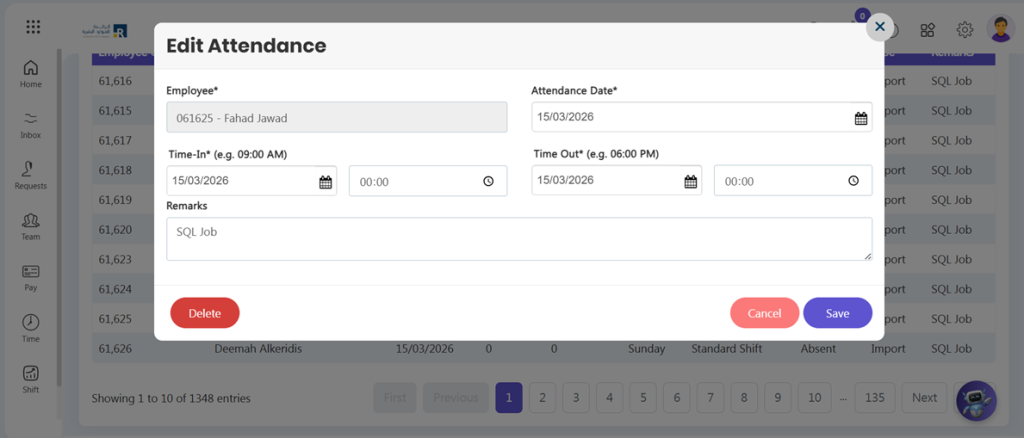
Ojoor provides an attendance module in employee data. You can Add, Edit, and Delete an employee’s attendance according to your requirements. Here’s how you can do it:
Add Attendance:
- Navigate to the Time > Employee Attendance > Add Attendance
- Click on “Create a New” in the top right corner.
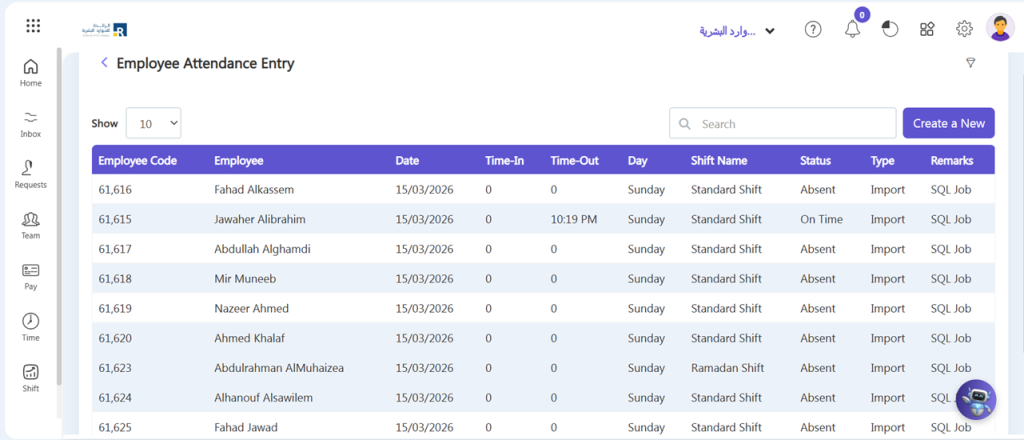
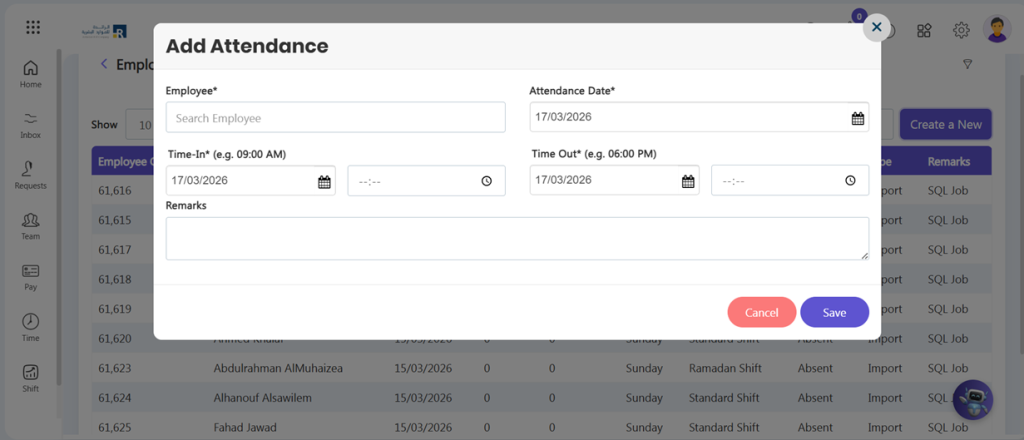
- Select the employee whose attendance you want to add manually.
- Choose the date for which you want to add the attendance.
- You can write some note also.
- Click on the “Save” button to add the attendance.
- You can also edit and delete an attendance by opening the marked attendance visible on attendance screen.
- Do the changes you want to add in attendance and click on Save.
- If you want to delete the pre-existed attendance, click on Delete.
Time Off
Managing leave is a time-consuming and important element of the HR routine. Ojoor Time off is a simple and user-friendly online Leave management module that enables you to efficiently record, manage, and track your employee’s leave details while reducing time theft.
At Ojoor, we understand that taking time off is an important aspect of maintaining a healthy work-life balance. We have made it easy for our users to request for leave through our platform. Here’s how:
- Go to Requests > Leave Request > All Request/My Request > New Request
Note:
- All Request: If you want to add your team request.
- My Request: If you want to add your request.
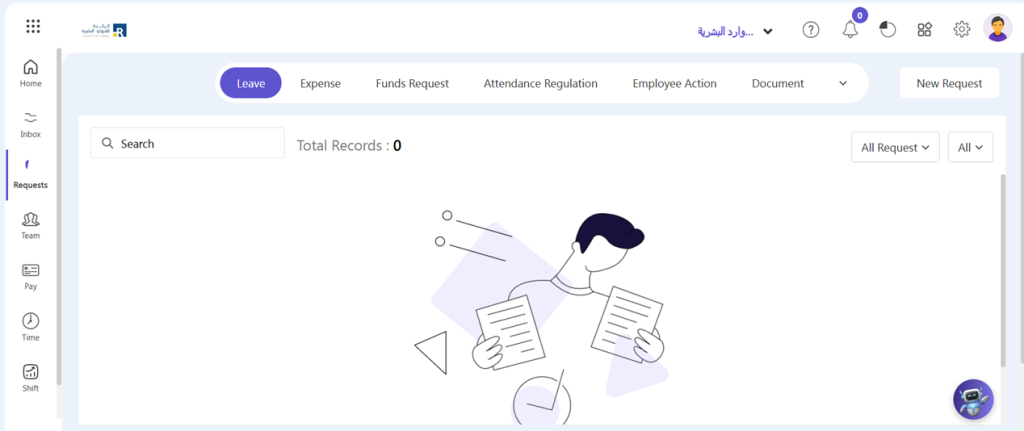
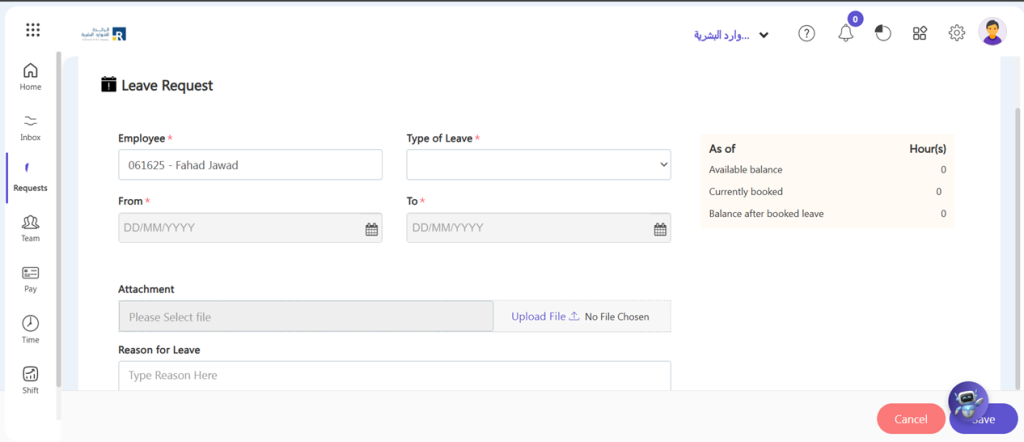
- Select employee name.
- Select to and from dates for leave.
- If necessary, upload document and write reason.
- Click on “Save” button.
- After save the request will show on admin or manager dashboard in Pending task.
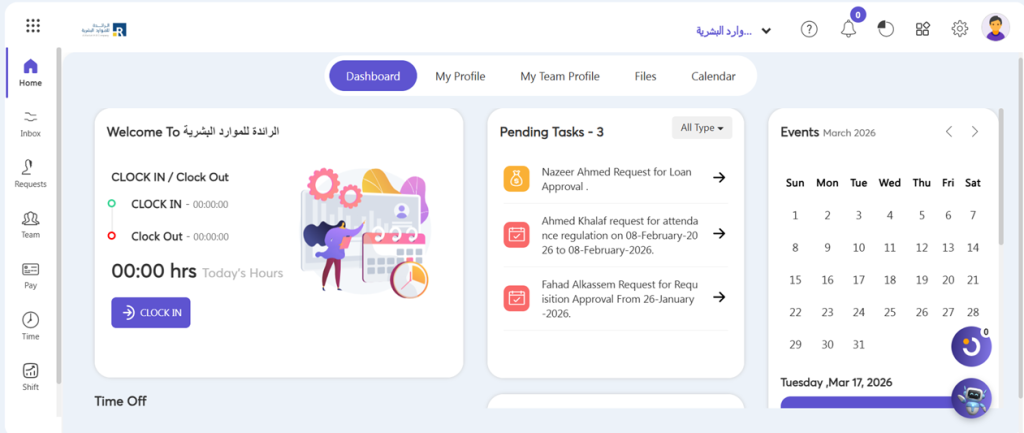
- By click on pending button you can Accept the Reject the request.
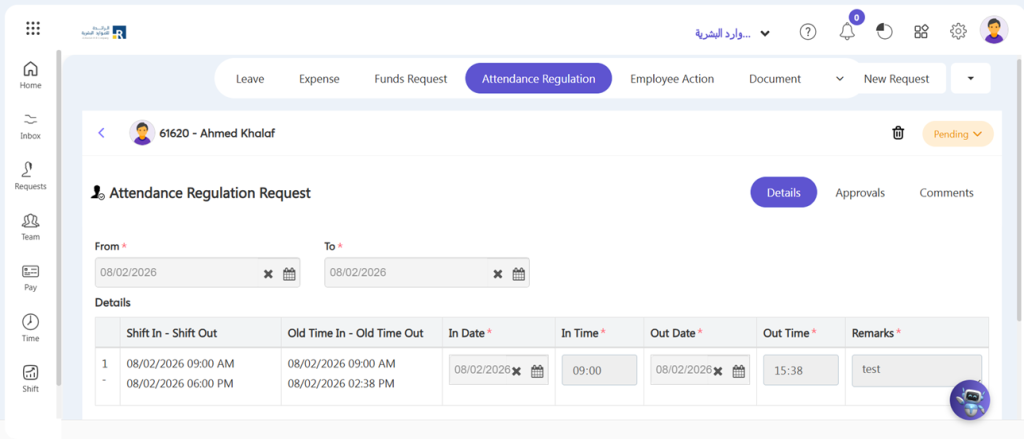
Expense
In Ojoor you can submit an expense request in easiest way. For Expense Request:
- Requests > Loan Request > All Request/My Request > New Request
Note:
- All Request: If you want to add your team request.
- My Request: If you want to add your request.
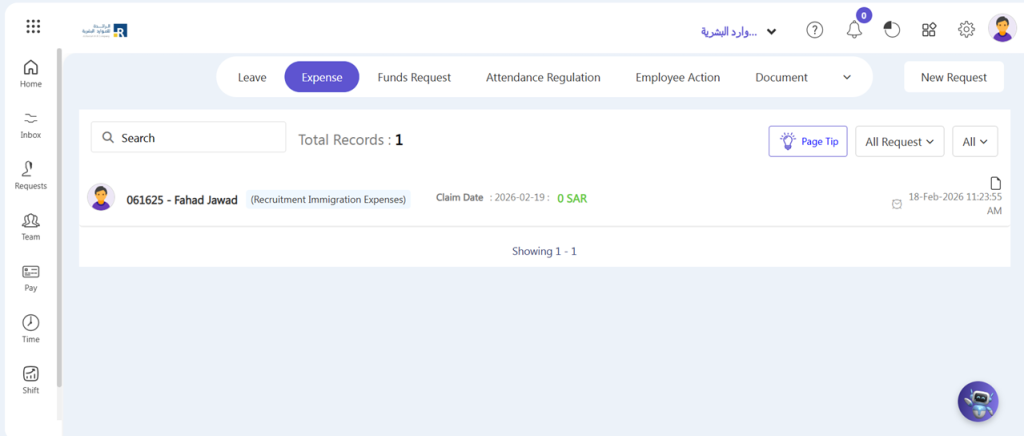
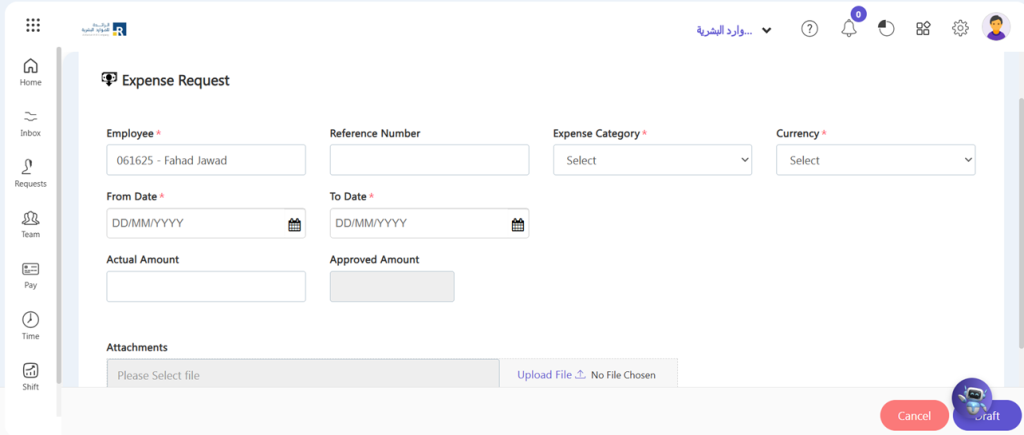
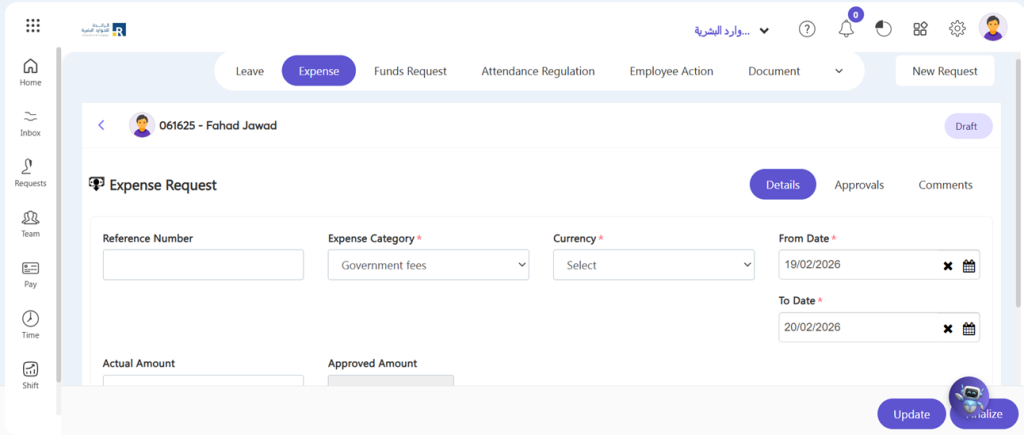
- Upload document; containing relevant expenses such as a deposit slip, a bill, or a form.
- Expense Category: Secondly, under the setting section, choose the expense category that you defined in Expense category in Request section.
- Employee name: In the employee’s name field, write the name of the employee who wants to take any expense.
- Total amount: Mention the whole amount of the expense in this field.
- Date: Have included the date that expense was issued in the date section.
- Draft: Click on Draft button.
- Go to My Request > Expense Request > Click on your Draft request.
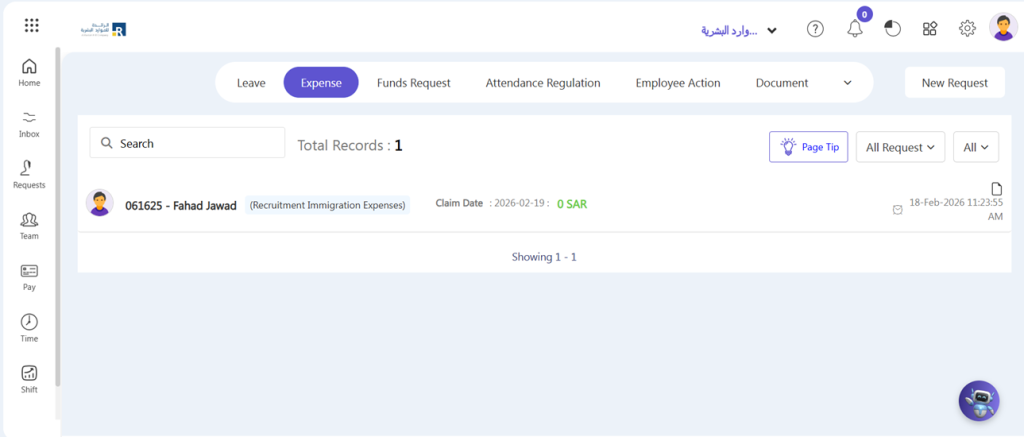
- Click on Update button if you edit something, otherwise click on Finalize button.
- After save the request will show on approver’s dashboard in Pending task.
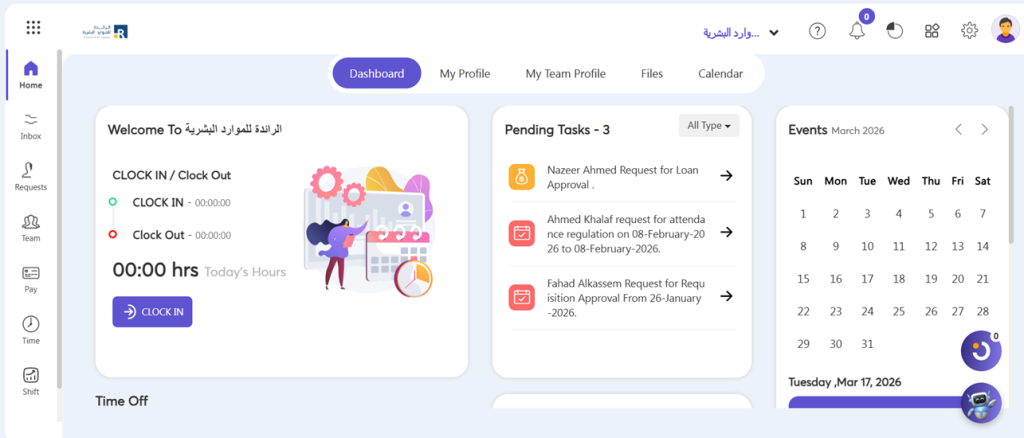
- Action: Higher authorities/approver act on it, either Approve or Reject it by click pending button.